TL;DR
The best conversion rate optimization tool depends on which stage of the work you’re stuck at. Diagnostic tools (Microsoft Clarity, Hotjar) show you what’s wrong. Build tools (landing page platforms, Shopify page builders) let you ship the fix. Testing tools (server-side A/B testing) prove it. Measurement tools (GA4, attribution) tell you what happened. Most DTC stacks are over-indexed on diagnosis and starved on build, which is why they own six tools and haven’t shipped a new page this quarter.
Most conversion rate optimization tool lists are written for someone who doesn’t buy media. They rank 22 products by feature count and never ask the question a DTC operator actually has: I’m spending $50K a month on Meta, the page behind the ad is underperforming, which of these tools gets a better page live by Friday?
You can own a heatmap tool, a session recorder, a survey widget, an analytics suite, and a testing platform, and still not have shipped a new landing page this quarter. That’s not a tooling gap. It’s a stack that only covers one of the four stages of the work.
This guide organizes CRO tools by the stage they actually serve, is honest about which stage each one stops at, and adds up what a real stack costs. Where a competitor’s tool is the right answer, it says so.
Key Takeaways
- CRO is four stages: diagnose, build, test, measure. Most tools cover one. Most stacks over-buy diagnosis and under-buy build.
- Microsoft Clarity and GA4 are free and genuinely good. Start there for diagnosis and measurement before paying for anything.
- The gap between “we know what’s wrong” and “the fixed page is live” is where DTC CRO programs die. The bottleneck is the copywriter-designer-developer loop, not the insight.
- Client-side testing tools flicker and add page weight; server-side testing serves each visitor one complete page. On paid traffic, that difference shows up in bounce and in Quality Score on Google search campaigns.
- A working DTC stack runs four to six subscriptions. One landing page platform that includes research, build, server-side testing, and offer mechanics collapses three of them.
The four stages of a CRO workflow
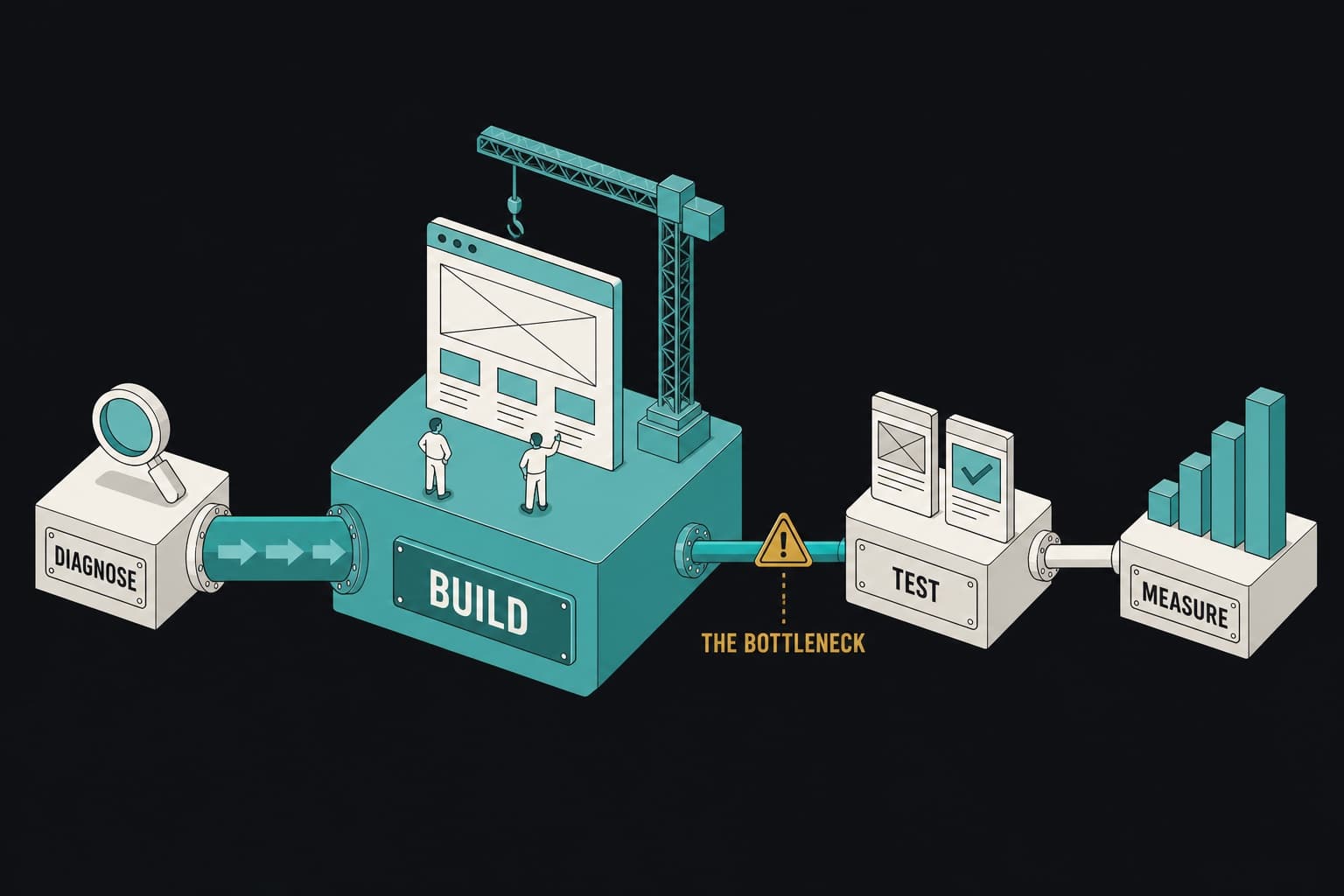
Every conversion rate optimization tool sits in one of four stages:
- Diagnose. Find out what’s wrong. Heatmaps, session recordings, scroll maps, surveys.
- Build. Ship a changed page. Page builders, landing page platforms, the copywriter-designer-developer loop.
- Test. Prove the change worked. A/B testing platforms, server-side or client-side.
- Measure. Know what happened in the ad account. Analytics, attribution, purchase tracking.
The distinction that matters: diagnostic tools tell you what’s wrong. They do not fix it. A heatmap showing that nobody scrolls past the hero is an insight. The fixed page is a build task, and the build task is where most programs stall.
Why most stacks are over-indexed on diagnosis
Diagnosis is cheap, fast to set up, and produces dashboards that look like progress. Building is slow, requires three people, and produces one page every two weeks. So teams buy more diagnosis, generate more insight, and ship the same number of pages. The insight backlog grows; the conversion rate doesn’t move.
A hypothetical media buyer, call him Andre, ran paid for a $3M-a-year apparel brand. His stack: Hotjar, a survey tool, GA4, a testing platform, and a Shopify page builder. Five subscriptions. In Q2 he had 31 documented insights from recordings and surveys and had shipped two page changes, both of which waited three weeks for a developer.
His conversion rate optimization problem wasn’t a lack of tools. It was that four of the five told him what to do and one let him do it, slowly.
Diagnostic tools: find the problem
These tools show you what visitors do on the page. Use them, and use the free ones first.
Microsoft Clarity (free)
Clarity is free, unmetered, and covers heatmaps, scroll maps, session recordings, rage-click and dead-click detection, and AI summaries of sessions. It integrates with GA4 and installs on Shopify in minutes. For most DTC brands under $10M in revenue it covers the heatmap and recording work teams buy Hotjar for, at no cost. This is a genuine recommendation: if you don’t have it installed, install it today.
Hotjar
Hotjar, now part of Contentsquare, offers heatmaps, recordings, surveys, and feedback widgets, with a free plan and paid tiers priced by daily sessions (pricing). Its surveys and on-page feedback polls are stronger than Clarity’s. If you need to ask visitors why they didn’t buy, Hotjar’s survey tooling is the reason to pay.
Crazy Egg
Heatmaps, recordings, and a lightweight A/B testing feature. Long-standing, reliable, and priced in the under-$100 band for small sites. Most DTC teams pick Clarity or Hotjar over it now, but it’s a reasonable choice if you want basic diagnosis and basic testing in one tool.
What these tools cannot do: ship a change
A session recording that shows 40% of mobile visitors abandoning at the quantity selector is a diagnosis. Rebuilding the buy box is a build task. No diagnostic tool builds the page. If the build stage in your stack is a freelance copywriter, a freelance designer, and a developer ticket, the diagnosis will sit in a spreadsheet until it’s stale.
Build tools: ship the fix
The build stage is where the conversion rate actually changes. It’s also where tools differ most.
Landing page platforms
A landing page platform builds dedicated pages for paid traffic, separate from the store’s theme. That’s where Pagedeck sits: point it at an ad and it picks up the offer, the angle, and the creative, then builds the page that continues the pitch. The AI writes direct-response copy, designs the layout, and builds the page; you edit on canvas and publish. Research from 1M+ live competitor pages, server-side A/B testing, and offer mechanics (tiered discounts, subscriptions, gift with purchase, bundles and BOGOs) are built in.
To be clear about what it isn’t: Pagedeck is not a heatmap tool or a session recorder. It doesn’t diagnose. It builds, tests, and measures the pages behind your ads. Pair it with Clarity for the diagnosis stage.
Unbounce is the established general-purpose landing page builder, strong for B2B and lead generation, less so for Shopify offer mechanics. If you’re weighing the two, Pagedeck vs Unbounce lays out the differences.
Shopify page builders
Replo, GemPages, PageFly, and Shogun are visual editors that build pages inside your Shopify theme. They’re good at what they do: pixel-level design control for teams that have a designer. They give you a canvas. They still expect you to bring the copywriter, the designer, and, for anything custom, the developer. None of them builds a page from your ad, and A/B testing, where it exists, is a plan-tier add-on or a separate app. For the design-first vs operator-first comparison, see Pagedeck vs Replo.
The copywriter-designer-developer loop this replaces
The default DTC build stage isn’t a tool. It’s three people and a queue. Brief a copywriter, wait. Hand copy to a designer, wait. Hand the design to a developer, wait. Two to three weeks per page, and that’s the fast version.
The brands that scale on paid aren’t only running better creative; they’re shipping more matched pages per week. That loop is the ceiling on how many they can ship, and it’s the thing a build tool has to remove.
Want to see what removing the loop does to page volume? Build your first page free, no credit card needed. Point it at an ad and it builds the page in minutes.
Testing tools: prove the fix
A page change without a test is a guess with a new coat of paint. The testing tool decides whether your result is real and whether the test itself hurt the page.
Server-side vs client-side testing
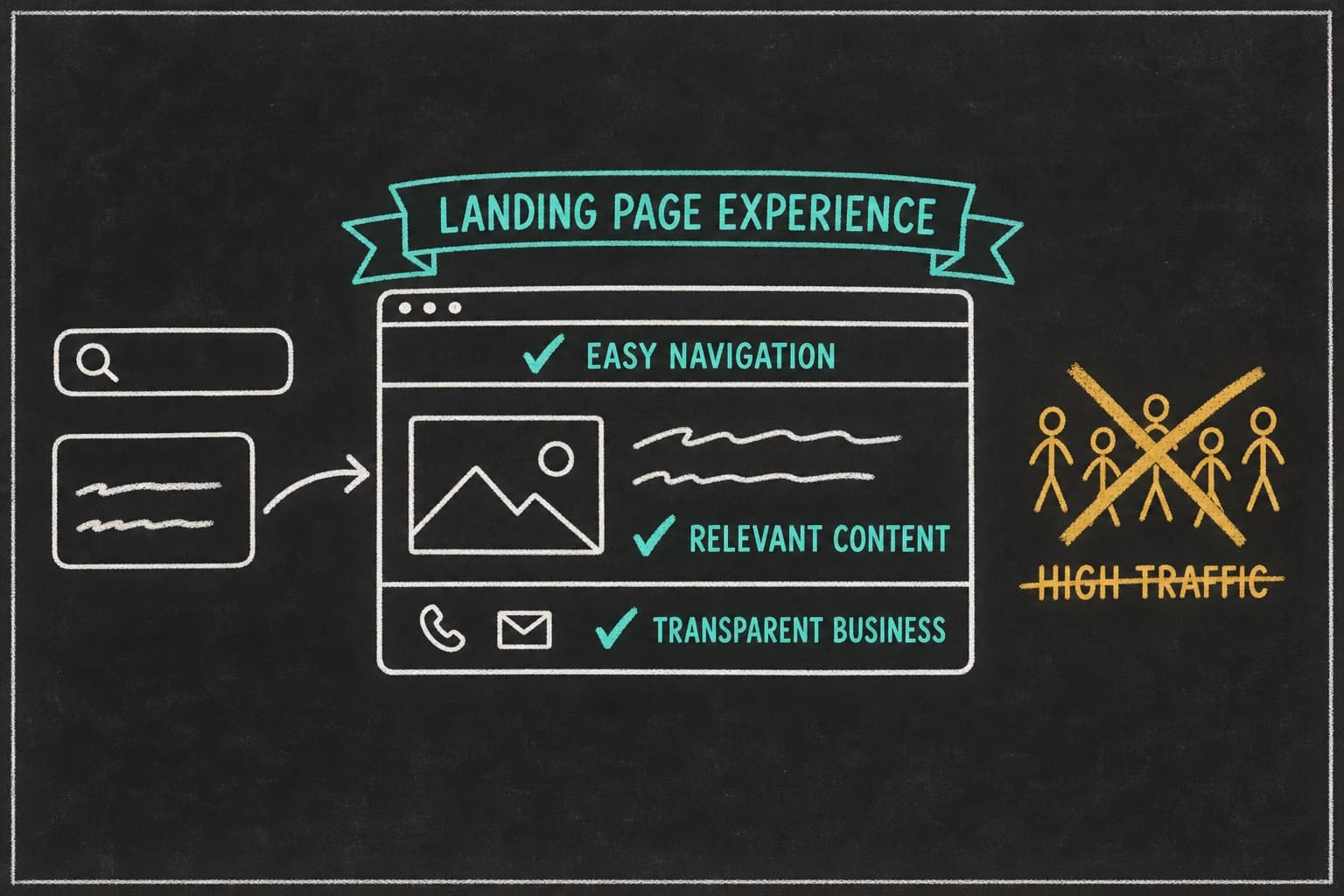
Client-side testing tools (most of the traditional A/B platforms) load a JavaScript snippet that swaps content in the browser after the page renders. Two problems on paid traffic. First, flicker: the visitor sees the original for a moment, then the variant. On a headline or a price, that’s visible and it reads as manipulation. Second, weight: the snippet loads before content, which slows the page. On Google search campaigns, landing page experience is a component of Quality Score, so a slower page can cost you in the auction.
Server-side testing assigns the variant before the page is sent, so each visitor gets one complete page with nothing swapped in the browser. No flicker, no extra script. On Shopify, this is harder to do inside the theme, which is why most Shopify testing apps are client-side. Pagedeck pages are served statically with the variant decided server-side, and every page ships with it built in.
Optimizely, VWO, and what replaced Google Optimize
Google Optimize, the free client-side tool many DTC brands relied on, was sunset in September 2023. The migration path Google pointed to was third-party platforms with GA4 integrations.
Optimizely is the enterprise standard: feature flags, server-side experimentation, personalization, quote-based pricing. Right for teams with a dedicated experimentation function and the traffic to feed it. VWO (pricing) covers testing, heatmaps, and surveys with a free starter plan and paid tiers metered by monthly tracked users. It’s the most common mid-market pick. On Shopify specifically, Intelligems (price and offer testing) and Shoplift (theme and template testing) are purpose-built and worth a look if your test is inside the theme rather than on a dedicated page.
Metered vs unmetered testing
Most testing platforms bill by traffic: monthly tracked users, tested visitors, or impressions. That has a quiet effect on behavior. When a good month on paid pushes you over the tier, you either pay overage or you pause tests. Teams under a metered plan test less, and they avoid testing on their highest-traffic pages because those burn the allowance fastest. The pages that most need testing get tested least.
Pagedeck’s testing is unmetered by traffic: unlimited pages, unlimited visitors, no overage because a good month happened. Concurrent active tests are tiered by plan (one on Single brand, ten on Multi-brand, unlimited on the agencies tier), but no test is ever throttled by how many people saw it. See unmetered pages, traffic, and A/B tests for the tiers.
Measurement tools: know what happened
Testing tells you which variant won. Measurement tells you whether the win reached the ad account.
GA4
Free, and the baseline every stack needs. GA4’s event model handles ecommerce purchase tracking, funnel exploration, and landing page reports well enough that most brands under eight figures don’t need a paid analytics suite. The weak spots are attribution across paid platforms and the gap between GA4-reported and platform-reported conversions, which is where the next category comes in.
Attribution and the post-iOS reality
Since iOS 14.5, platform-reported conversions and actual conversions have diverged, and Meta’s modeled numbers don’t reconcile with GA4’s. Tools like Triple Whale and Northbeam exist to build a first-party view across channels and to estimate incrementality. Whether you need one depends on spend: under $30K a month across two platforms, GA4 plus UTM discipline usually suffices. Above that, an attribution layer pays for itself in budget allocation decisions.
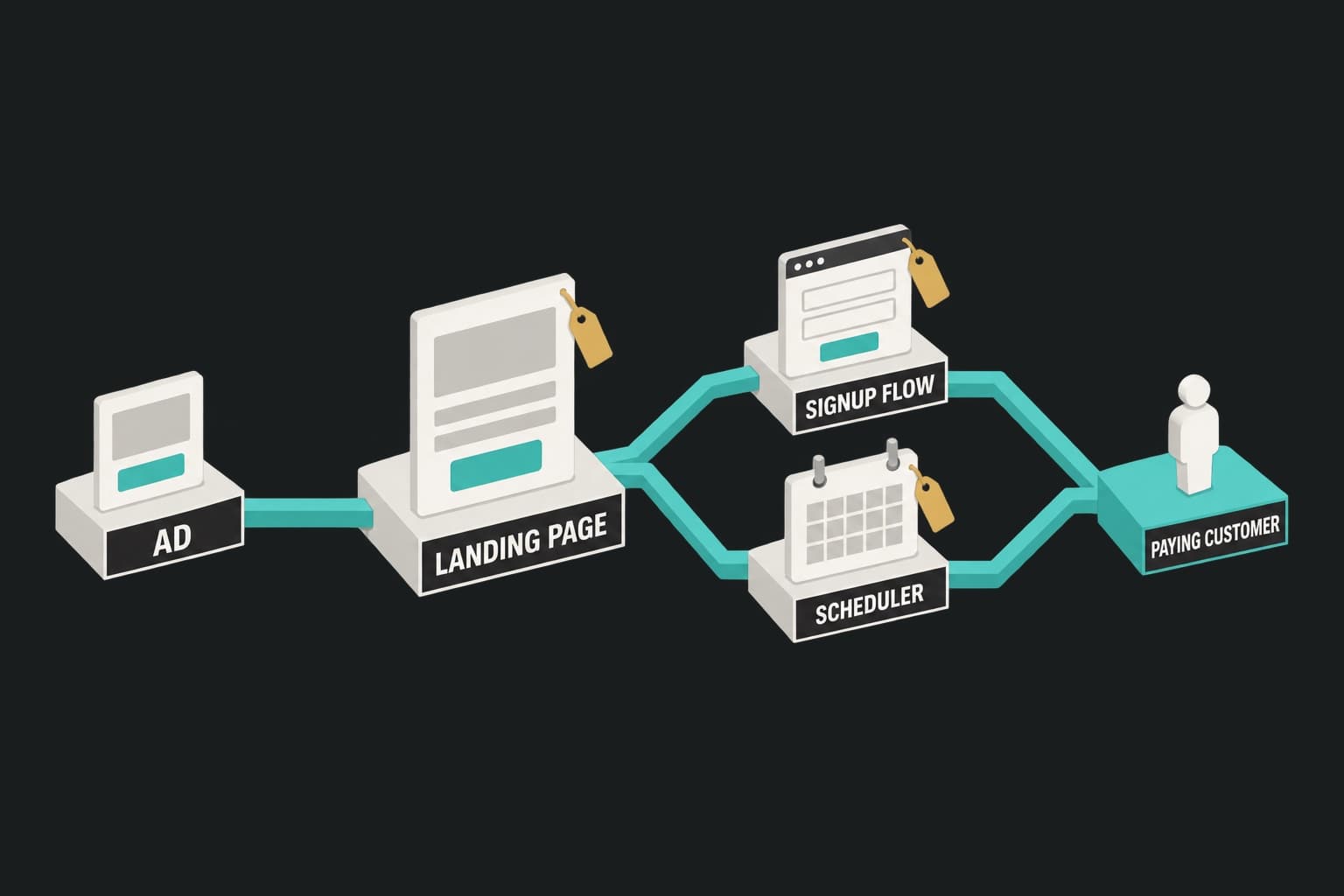
Whatever you use, the landing page has to preserve UTMs across the checkout handoff and attribute purchases back to the exact page and variant. That’s a page-level requirement, and it’s why Pagedeck pages carry UTMs through to Shopify checkout and tie each order to the page and variant that produced it.
Statistical significance without a data team
You don’t need a data scientist. You need a sample-size calculation before the test and a significance check after. Free calculators (CXL’s, Evan Miller’s, VWO’s) do both. The rule most DTC teams break is stopping early: stopping at the first significant reading inflates false positives, so an early lead often fades. Decide the sample size up front, then don’t look at the result until you hit it.
Iteration volume matters more than any single test. Fulton put 100% of paid traffic on dedicated pages, ran more than 50 iterations, and lifted paid conversion rate 110%. Read how Fulton increased paid conversion rate by 110%. The result is Fulton’s; the mechanism is that 50 iterations find things five can’t.
What a real CRO stack costs
No article in this category adds up the bill. Here’s the table, in price bands rather than exact figures because vendor pricing changes and this article shouldn’t quote a number that’s wrong by the time you read it. Bands reflect list pricing as of September 2026; check each vendor’s pricing page before budgeting.
| Stage | Tool | Price band | Notes |
|---|---|---|---|
| Diagnose | Microsoft Clarity | Free | Unmetered |
| Diagnose | Hotjar | Free tier; paid from under $100/mo | Metered by daily sessions |
| Diagnose | Crazy Egg | Under $100/mo | Small-site tiers |
| Build | GemPages, PageFly | Free tier; paid from under $100/mo | Shopify theme editors |
| Build | Replo, Shogun | $100 to $500/mo | Design-first Shopify editors |
| Build | Unbounce | $100 to $500/mo | General landing page builder |
| Test | VWO | Free starter; paid metered by tracked users | Client-side by default |
| Test | Optimizely | Quote-based | Enterprise |
| Test | Intelligems, Shoplift | $100 to $500/mo | Shopify-specific |
| Measure | GA4 | Free | Baseline |
| Measure | Triple Whale, Northbeam | $100 to $500/mo and up | Attribution layer |
| Build + Test + Measure + Research | Pagedeck | $149/mo single brand, $299/mo five brands, $499/mo twenty brands; research only $49/mo | Unmetered pages and traffic |
A typical mid-market DTC stack, diagnosis through measurement, is four to six subscriptions. Clarity and GA4 are free. The paid line items are usually the page builder, the testing platform, an attribution tool, and often a bundle or upsell app to run offers on the page.
Where the overlap is, and what one platform can consolidate
The overlap sits in build, test, and offer mechanics. A Shopify page builder, a client-side testing tool, and one or two offer apps are three to four line items doing the work of one. A landing page platform with server-side testing and native offer mechanics collapses them: one subscription covers the copywriter, the designer, the testing tool, and the offer apps. Diagnosis (Clarity) and measurement (GA4) stay separate and stay free.
Ready to consolidate the build and test stages? See pricing. Every paid tier includes unlimited pages, unlimited traffic, and the research library.
How to choose
Three criteria decide most of it.
Traffic volume threshold for testing to be meaningful
Detecting a 20% lift takes roughly 390 conversions per variant, and a 10% lift about 1,550 (the sample-size rule of thumb at 95% confidence and 80% power). If the page in question can’t reach that in a few weeks, spend on build, not test: ship a page per ad angle, watch cost per purchase by page, and iterate on the ones that lag. Formal testing earns its place once a single page carries enough volume to resolve a test in two to four weeks.
Shopify compatibility
For a Shopify brand, the questions are concrete: does the buy box sync with live product data, do purchases attribute back to the page, do UTMs survive checkout, and can the tool run offers (bundles, tiered discounts, subscriptions) without a separate app? A tool that answers no to any of those pushes the work back onto a developer.
Who on the team actually operates it
The best conversion rate optimization tool is the one your media buyer can run without a ticket. If every change routes through a developer, the tool’s feature list is irrelevant; your throughput is the developer’s calendar. Pick tools your growth team operates end to end.
Frequently asked questions
What is the best conversion rate optimization tool for a Shopify store? It depends on the stage. For diagnosis, Microsoft Clarity (free). For measurement, GA4 (free). For building and testing the pages behind paid ads, a landing page platform with server-side testing, live Shopify product sync, and native offer mechanics, so the media buyer can ship and test without a developer.
Do I need a heatmap tool and an A/B testing tool? They do different jobs. A heatmap tells you where visitors stall. A testing tool tells you whether your fix worked. Most brands need both, but the heatmap tool can be free and the testing tool should be the one built into the page platform rather than a separate client-side script.
What replaced Google Optimize? Google retired Optimize in September 2023 and pointed users to third-party platforms with GA4 integrations. VWO and Optimizely are the common migrations. For Shopify landing pages, server-side testing built into the page platform avoids the client-side flicker Optimize had.
How much should a DTC brand spend on CRO tools? Diagnosis and measurement can be free. The paid spend should go to the build and test stages, because that’s where pages actually change. If the stack costs more than one page platform with testing included, check for overlap.
Conclusion
Conversion rate optimization tools split into four stages, and most stacks buy the wrong one. Diagnosis is cheap and often free; Clarity and GA4 are genuinely good and cost nothing. The expensive gap is between knowing what’s wrong and having the fixed page live, and that gap is a build and test problem, not an insight problem.
Choose tools by the stage you’re stuck at, insist on server-side testing for paid traffic, and consolidate build, test, and offer mechanics wherever one platform can do all three. Then ship more pages than you did last quarter.
Build your first page free, no credit card needed. Point Pagedeck at an ad and it builds the page, tests it server-side, and attributes every purchase back to it.