TL;DR
A lead gen landing page trades something of value for contact details, and its success is measured in cost per qualified lead, not capture rate. The form is the cheapest thing on the page to fix and the least likely to be your problem; the incentive, the headline, and the match with the ad move cost per lead far more. Use the form your CRM or email platform already gives you, embed it, and build the page around it.
Most lead gen advice is about the form. Field count, button color, multi-step vs single-step. The form is the cheapest thing on a lead gen landing page to fix, and it’s almost never the thing that’s wrong.
Here’s the trap. You cut a form from seven fields to three, capture rate doubles, and three months later sales is complaining that the pipeline is full of people who will never buy. You optimized the wrong number. This guide is about the right ones: what a lead is worth, which incentive to offer, how lead quality decays as capture rate climbs, and the arithmetic that tells you whether the page is working.
It applies whether you’re running paid traffic to a demo request, a quote form, a guide download, or a sample offer. What you sell isn’t the page’s business.
Key Takeaways
- Decide what a lead is worth before building the page. Every other decision, from incentive to field count, follows from that number.
- The incentive shapes the pipeline. Richer, broader incentives raise capture rate and lower average lead quality. Cost per qualified lead is the metric that catches this; capture rate hides it.
- Message match with the ad, a benefit-led headline, and proof placed at the point of doubt move cost per lead more than any form tweak.
- The form should come from your CRM or email platform, embedded on the page, so routing, automation, and consent records live in one system.
- Test the offer first, then the headline, then the form. Run tests server-side so the page doesn’t flicker on paid traffic.
What a lead gen landing page is for
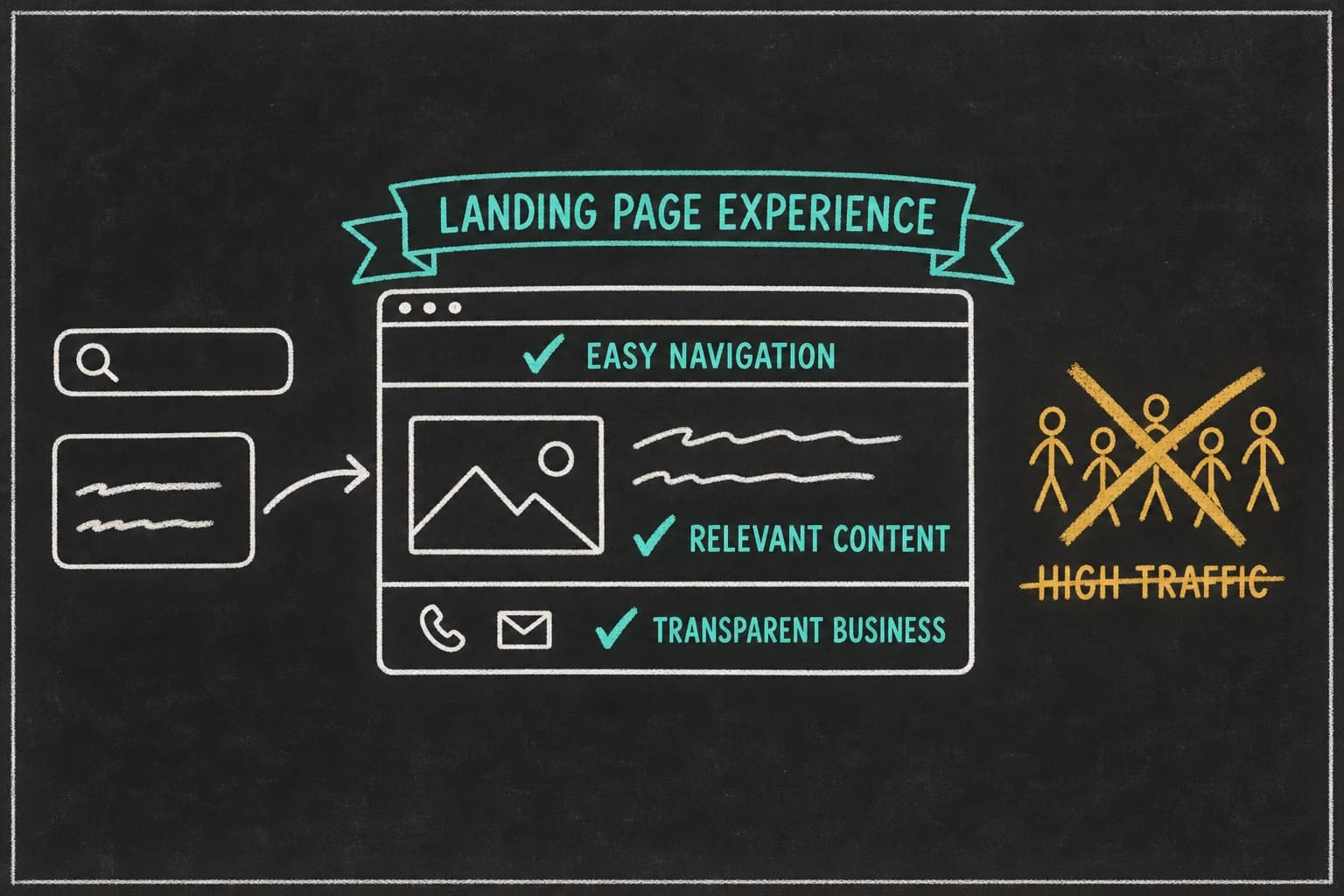
A lead gen landing page has one goal: exchange something the visitor wants for their contact details and permission to follow up. One action, no navigation, no second CTA competing with the first.
Capture page vs homepage vs product page
The homepage serves everyone and sends them elsewhere. A product or service page explains an offering and invites a purchase or an inquiry among several. A lead capture page exists for one campaign, one offer, and one form. Paid traffic goes to the capture page because a visitor who clicked a specific promise should land on that promise, not on a menu. The reasoning for why paid traffic converts better on a dedicated landing page holds for leads as much as for purchases.
Deciding what a lead is worth before you build anything
Start here or nothing else makes sense. Work backward from revenue: average customer value, multiplied by the share of qualified leads who become customers, multiplied by the share of raw leads who qualify. That’s the revenue value of a raw lead, and it’s the absolute ceiling on what you can pay to capture one; the margin behind it is the real limit.
A B2B software company with a $12,000 average contract, a 20% close rate on qualified leads, and a 30% qualification rate values a raw lead at $720. A home services company with a $600 average job, a 40% close rate, and a 50% qualification rate values a raw lead at $120. The pages those two companies should build are different because the numbers are different, not because one is B2B and the other isn’t.
The incentive decides the page
The thing you exchange for contact details shapes everything downstream: who fills in the form, how much they’re worth, and what the follow-up has to do.
Content offers
Guides, reports, templates, checklists, tools. Cheap to produce once, infinitely reusable, and the broadest net. Fits anyone with an educational angle: a consultancy’s benchmark report, a software company’s implementation template, a retailer’s buying guide. Costs you little per lead. Typical lead value is low, because the visitor wanted the document, not the conversation.
Access offers
Demos, consultations, quotes, audits, trials. The visitor is asking to talk to you or to try the thing. Fits software, services, and anything with a sales process. Costs you real time per lead. Typical lead value is high, because the visitor self-selected into a buying conversation.
Value offers
Discounts, samples, giveaways, early access. The visitor gets something tangible. Fits ecommerce, subscriptions, and local businesses. Costs you margin per lead. Lead value varies widely: a discount-for-email offer pulls deal-seekers; an early-access offer pulls fans.
Utility offers
Calculators, quizzes, assessments, configurators. The visitor gets an answer about their own situation. Fits anyone whose product depends on the visitor’s circumstances: a mortgage calculator, a skin-type quiz, a cloud cost estimator. Costs you build time once. Lead value is moderate to high, and the utility’s answers double as qualification data.
| Incentive type | Fits | Cost to you | Typical lead value |
|---|---|---|---|
| Content | Any business with an educational angle | Low, one-time | Low |
| Access | Software, services, sales-led | High, per lead | High |
| Value | Ecommerce, subscriptions, local | Margin, per lead | Varies |
| Utility | Circumstance-dependent products | Moderate, one-time | Moderate to high |
Lead quality decay
This is the section no lead gen guide writes, because it argues against the advice the rest of them give.
The richer the incentive, the worse the average lead
Make the incentive more appealing to more people and more people will fill in the form. Most of the additional people are less likely to buy. A “free strategy call” pulls buyers; a “free $50 gift card for a call” pulls everyone with 20 spare minutes. Capture rate goes up, qualification rate goes down, and whether cost per qualified lead improved is an arithmetic question, not an obvious one.
Why capture rate is a vanity metric on its own
Capture rate measures the page’s persuasiveness with the visitors who arrived. It says nothing about whether those visitors were worth persuading. A page that converts 30% of visitors into leads nobody can close is a worse page than one that converts 8% into leads sales fights over. Report capture rate, but never optimize to it alone.
Measuring on downstream revenue per lead, not lead volume
The metric that survives contact with reality is cost per qualified lead, and behind it, revenue per raw lead. Both require connecting the page to what happened after the form: did the lead qualify, did it close, what was it worth. That’s a CRM job, which is one reason the form should live in the CRM.
A hypothetical consultancy’s marketing lead, call her Ines, ran paid search to a “download our benchmark report” page. Capture rate: 22%. Cost per lead: $18. Everyone was pleased until the sales team pulled the numbers: 4% of report downloaders ever took a call. Cost per qualified lead: $450.
She rebuilt the page around a “book a 20-minute benchmark review” access offer. Capture rate fell to 6% and cost per lead rose to $65. Qualification rate rose to 45%. Cost per qualified lead: $144. The worse-looking page was three times more efficient.
When a deliberately higher-friction page produces a better pipeline
Sometimes the right move is to add friction. A qualifying question (“What’s your monthly ad budget?”), a required company field, a “this is for teams of 10+” line above the form. Each one lowers capture rate and raises the quality of what gets through. When sales capacity is the constraint, or when the cost of a bad lead is high, friction is the feature.
Anatomy of a lead gen landing page
The page around the form. This is where cost per lead is won.
Message match with the ad that drove the click
The headline continues the ad’s promise, in the ad’s words. If the ad offered a cloud cost calculator, the page opens on the cloud cost calculator, not on the company name. A visitor who has to re-orient after the click is a visitor who often leaves. That’s what ad-matched landing pages means in practice: point Pagedeck at the ad and it builds the page that continues that ad’s pitch, with your form embedded where the conversion happens.
Benefit-led headline: the offer, not the company
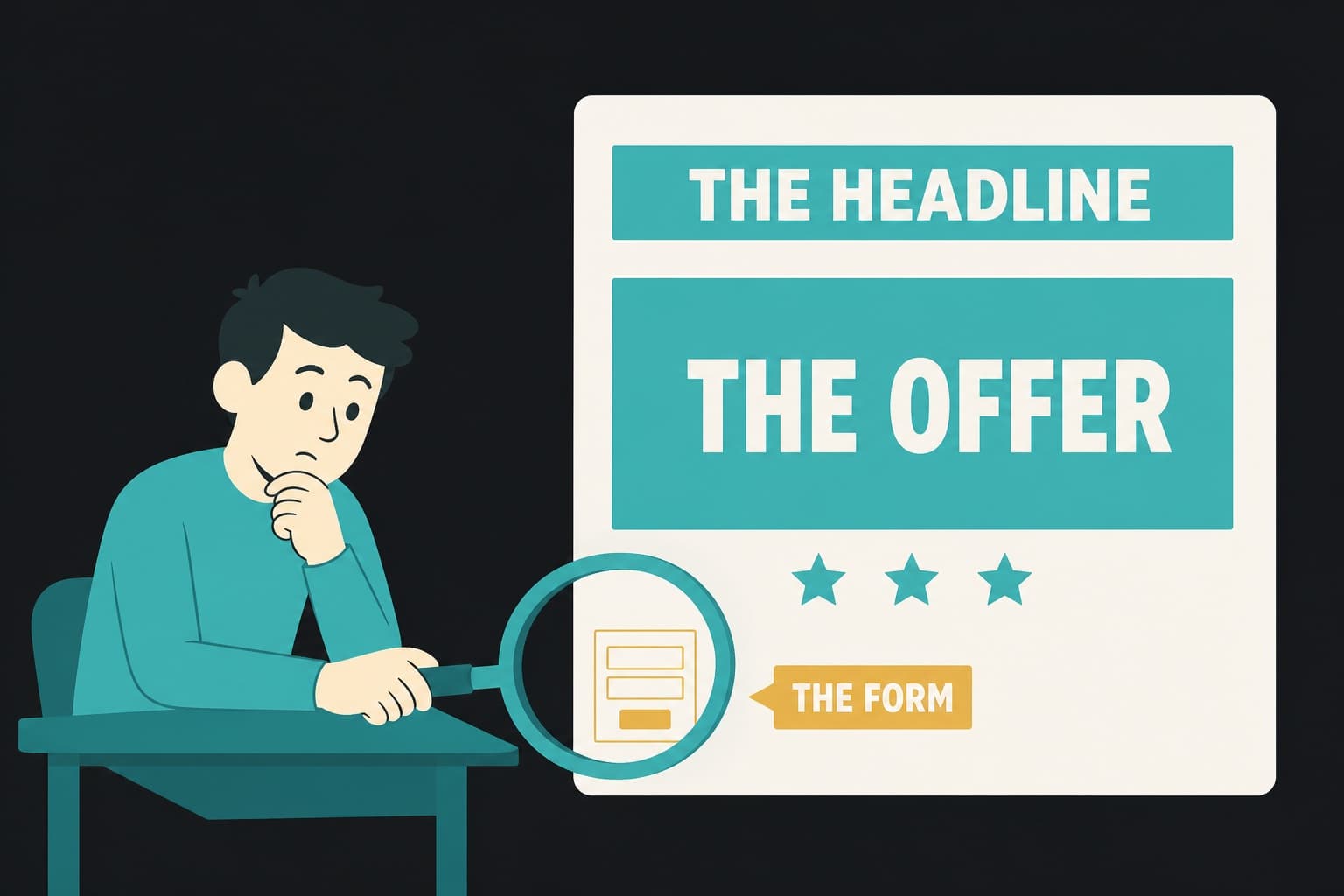
“Get the 2026 SaaS Pricing Benchmark” beats “Acme Analytics: Insights for Growing Companies.” The visitor came for the thing. Name the thing, and the benefit of having it, in the headline.
Where the form goes and how much of it is visible
For paid traffic, the form (or the button that opens it) sits above the fold, beside or below the headline. For higher-commitment access offers, showing the first field above the fold and the rest on interaction keeps the page from looking like paperwork. Never put the form only at the bottom of a long page.
Field minimization, and where “shorter is always better” breaks
Fewer fields usually means more submissions. It doesn’t always mean more qualified submissions, and it doesn’t always mean more submissions either: for high-value access offers, a form that looks too easy can read as low-value. Treat field count as a variable to test against cost per qualified lead, not as a rule. The one reliable cut is fields you don’t use in follow-up; if nobody reads the “how did you hear about us” answer, remove it.
Multi-step and conditional capture
Multi-step forms ask one or two questions per screen, with the contact details last. They can beat single-step forms on completion for anything over three fields, because the visitor commits to the first easy question before seeing the whole ask. Conditional logic lets you qualify inside the form: a visitor who picks “just researching” can get the guide, and a visitor who picks “evaluating vendors this quarter” can get the calendar link. Both routes are captured; only one hits the sales queue.
Proof placement: the three-layer pattern
Kicker, headline, evidence. A short trust line above the headline (“Used by 2,400 marketing teams”), the benefit-led headline itself, and then evidence beside the form: a testimonial that answers the objection the visitor has at that moment, a logo row, a specific outcome. Proof at the point of doubt, not in a block at the bottom.
Speed and mobile
Paid traffic skews mobile, heavily so from social, and it’s always impatient. The page renders fast, the form is tappable, and the keyboard type matches the field (numeric for phone, email for email). On a fast, statically hosted page, the embedded form is the only third-party script the visitor waits on, rather than one of several.
The thank-you page as the real conversion moment
The thank-you page is where the lead decides whether to open the follow-up email. Deliver the thing immediately, state what happens next, and make one secondary ask if it’s warranted: book the call, join the community, share the report. A thank-you page that says “thanks, we’ll be in touch” wastes the most attentive moment in the funnel.
Want to see capture pages and purchase pages side by side? The five formats that convert paid traffic are broken down in landing page examples that convert paid traffic.
The form itself: use what you already have
Almost every competing article on this topic is written by a company that sells a form. The advice is always to use theirs. Here’s the advice from a company that doesn’t sell one.
Why the form should come from your CRM or ESP, not your page tool
Whatever you use to store and route leads already ships an embeddable form: HubSpot, Salesforce, Mailchimp, Klaviyo, ConvertKit, ActiveCampaign, Typeform, Tally, Jotform, Calendly, Google Forms, and the rest. Any of them drops onto the page as an embed. Building a bespoke form in your page tool is usually the wrong move: your leads land somewhere that isn’t your CRM, your routing and automation don’t fire, and your consent records live in two systems.
The page tool’s job is the page. The form’s job is to get the lead into the system that will act on it. Keep them separate.
Embedding third-party forms
Every major form and email platform publishes an embed snippet; Mailchimp’s signup form embed instructions are typical. Paste it into the page where the form belongs, style the container to match, and the submission goes straight to the platform. Pagedeck doesn’t ship a native email-capture form section, and for lead gen that’s the right design: the page is built around whichever embed you already use, with the ad-matched build, the proof placement, the speed, and the server-side test wrapped around it.
Routing, automation, and where the lead actually lands
When the form is the CRM’s form, the lead is in the CRM the moment they submit. Lead scoring runs, the owner is assigned, the welcome sequence sends, the calendar link goes out. When the form is the page tool’s form, all of that waits on an integration that may or may not fire, and a field mapping that may or may not hold.
Consent and compliance
The form is where consent is captured, so the form has to capture it properly. Under GDPR, consent for marketing must be freely given, specific, informed, and unambiguous; the ICO’s guidance on consent is the reference for UK and EU audiences. In the US, the FTC’s CAN-SPAM compliance guide governs commercial email, and SMS is stricter: the TCPA requires prior express written consent for marketing texts, with real penalties per message. A pre-ticked box is not consent anywhere. A CRM-native form records the consent with the lead; a page-tool form often doesn’t.
What breaks when your leads live in two systems
Duplicates. Lost consent records. Automation that fires for some leads and not others. Attribution that can’t connect the page to the closed deal. Every one of those is a cost-per-qualified-lead problem, and every one of them goes away when the form lives where the lead lives.
Cost per lead math
The arithmetic that tells you whether the page is working. Build it from your own numbers; the example below is illustrative.
| Step | Example | Result |
|---|---|---|
| Ad clicks | 1,000 clicks at $6 CPC | $6,000 spend |
| Capture rate | 12% | 120 leads |
| Cost per lead | $6,000 / 120 | $50 |
| Qualification rate | 30% | 36 qualified leads |
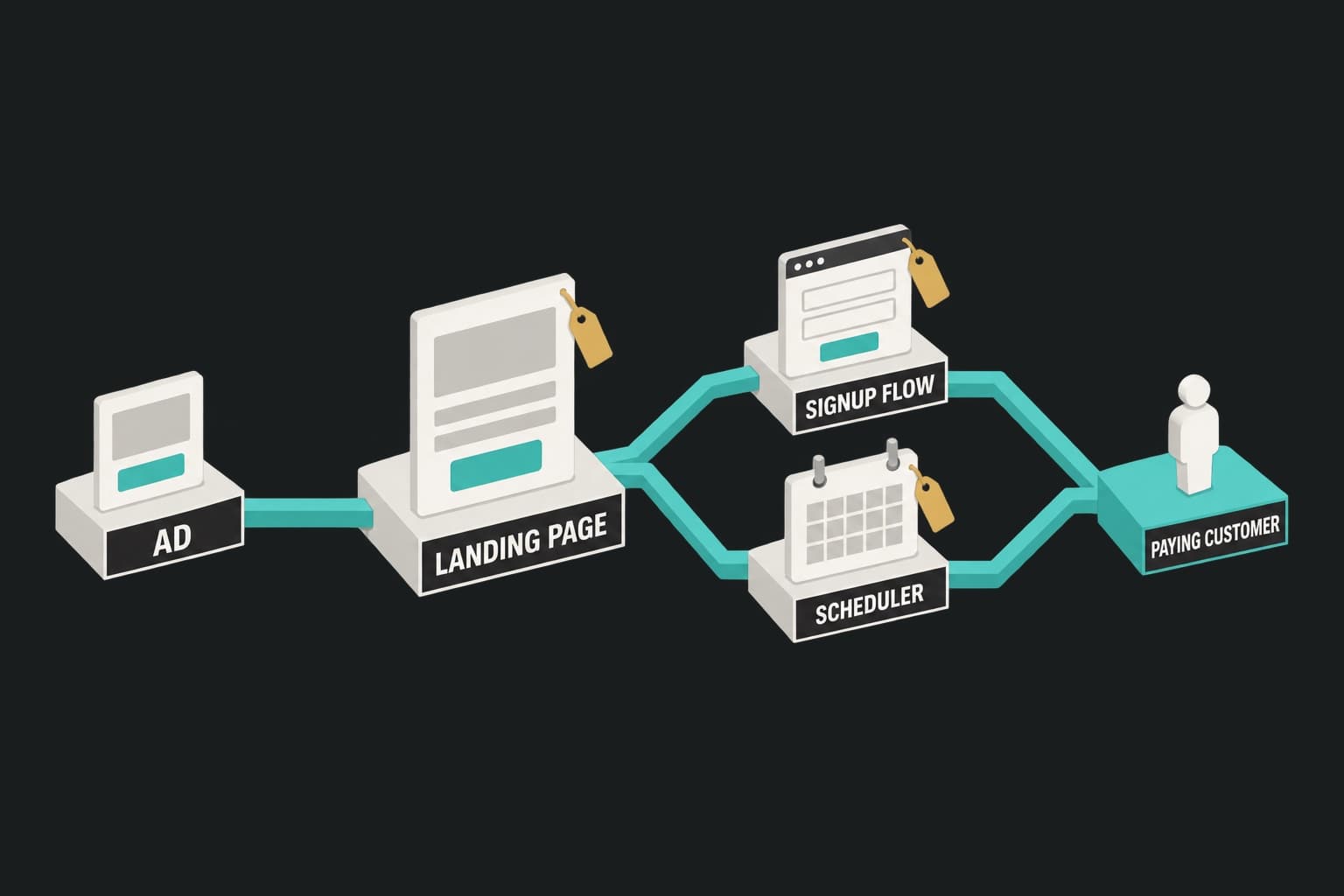
| Cost per qualified lead | $6,000 / 36 | $167 |
| Close rate on qualified | 20% | 7.2 customers |
| Cost per customer | $6,000 / 7.2 | $833 |
| Value per customer | $3,000 | Break-even needs cost per customer under $3,000 |
Now change the incentive to something broader. Capture rate rises to 25%; qualification rate falls to 10%.
| Step | Example | Result |
|---|---|---|
| Capture rate | 25% | 250 leads |
| Cost per lead | $6,000 / 250 | $24 |
| Qualification rate | 10% | 25 qualified leads |
| Cost per qualified lead | $6,000 / 25 | $240 |
Cost per lead halved. Cost per qualified lead rose 44%. The page that looks better on the dashboard is worse in the pipeline.
The break-even you actually need
Cost per customer has to sit below what a customer is worth in margin, not revenue, with enough headroom left to cover sales time and churn. Work the chain backward from that number to find the cost per qualified lead you can afford, and from there the capture rate you need at your CPC. That’s the target for the page. Anything else is decoration.
Why the second decimal on capture rate rarely matters and the qualification rate always does
Moving capture rate from 12% to 13% changes cost per lead by about 8%. Moving qualification rate from 30% to 40% changes cost per qualified lead by 25%. The qualification rate is set by the incentive, the headline, and the audience the ad pulled, which is why those are the things to work on.
Testing a lead gen page
Test in order of impact.
Test order: the offer, then the headline, then the form
The offer decides who shows up and what they’re worth. Test it first: guide vs assessment, demo vs audit, 10% off vs early access. Then the headline, holding the offer constant. Then, last, the form: field count, single vs multi-step, button copy. Most teams test in the reverse order and wonder why nothing moves.
Server-side testing so the page doesn’t flicker on paid traffic
Client-side testing tools swap the headline in the browser after the page loads, and either the visitor sees it happen or an anti-flicker snippet blanks the page until the swap finishes. On a page whose whole job is trust, that’s a cost. Server-side testing serves each visitor one complete version. Every Pagedeck page ships with server-side A/B testing built in, unmetered by traffic, so the offer and headline tests above run without a flicker and without a separate tool. Pagedeck counts any event you define as a conversion, so each variant can be judged on the form submit itself.
Sample size when conversions are scarce
Lead gen pages often run at a few dozen conversions a week, which makes tests slow. Decide the sample size with a free calculator before you start, and don’t read the result until you reach it. If a page can’t hit the sample in six weeks, don’t test it: ship one version per ad angle, compare cost per qualified lead by page, and iterate on the laggards. The accounts that bring cost per qualified lead down fastest aren’t running more elegant tests; they’re shipping more matched pages. Fulton’s 50+ page iterations and 110% paid conversion rate lift, and Gravel’s 66% lower cost per conversion on one campaign, are purchase results rather than lead gen results, but the mechanism they demonstrate, iteration volume behind matched pages, applies to any page fed by ads.
One page per ad angle
A “free audit” ad and a “download the report” ad need different pages, because they promised different things. Each paid ad platform sends a different temperature of traffic, and each angle within a platform sets a different expectation. One page per angle, each built around the same embedded form.
Frequently asked questions
What is a lead gen landing page? A page with one goal: exchange something of value (a guide, a demo, a quote, a discount, a tool) for the visitor’s contact details and permission to follow up. It has no navigation and one form, and it’s usually the destination for a paid ad.
What is a good conversion rate for a lead generation landing page? Unbounce’s Conversion Benchmark Report shows enormous variance by industry and offer type, so any single number is a range. Low-commitment capture offers tend to convert higher than purchase pages. Treat any single number as a range, and measure cost per qualified lead rather than capture rate.
Should I build the form in my landing page tool or embed one? Embed the form from your CRM or email platform. The lead lands where it will be acted on, automation fires immediately, and consent is recorded with the record. Build the page around the embed.
How many fields should a lead gen form have? As many as you use in follow-up and no more. Shorter forms usually capture more, but not always more qualified leads, and for high-value offers a slightly longer or multi-step form can improve quality. Test field count against cost per qualified lead.
Conclusion
A lead gen landing page pays for itself when cost per qualified lead sits comfortably under what a customer is worth. That number is set by the incentive, the headline, the match with the ad, and the audience the ad pulled. The form is the last variable, not the first.
Decide what a lead is worth, pick the incentive that attracts the leads you can close, build the page around the form your CRM already gives you, and test the offer before the headline before the form. Then ship one page per ad angle.
Build your first page free, no credit card needed. Point Pagedeck at the ad, embed your form, and it builds the page that continues the pitch.